
Give or take gold coins
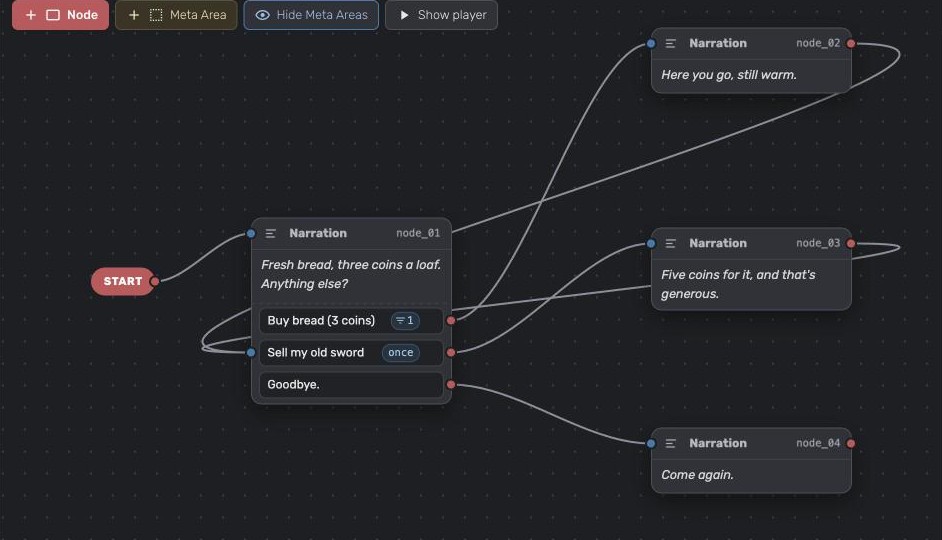
The case: the main character carries gold. A merchant sells bread for three coins and buys their old sword for five. The player can only buy bread while they have at least three coins.
Gold: 10
Merchant: Fresh bread, three coins a loaf. Anything else?
  1. Buy bread (3 coins)
  2. Sell my old sword
  3. Goodbye.
Player picks 1.
Merchant: Here you go, still warm.
Gold: 7
The short answer: create a number variable gold. On the node where the player pays, add Set variable with gold −= 3. On the node where they earn coins, gold += 5. Give the buy option the condition gold ≥ 3.
1. Create the gold variable
- Click the pencil next to Variables in the explorer on the left.
- Click New variable and name it
gold. Names use small Latin letters and underscores. - Set its type to Unsigned number, a whole number that never goes below 0.
- Under Starts as, enter how many coins the player has at the start, for example
10. - Add a comment like Coins the player carries, so everyone on the team knows what it means. Click Save.
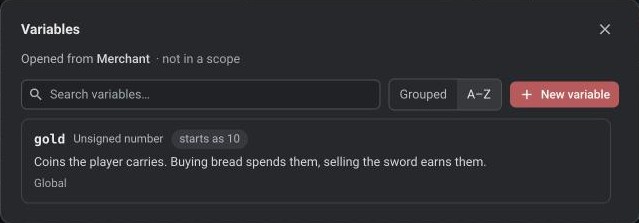
Pick Number instead if gold can go negative, for example to allow debt.
2. Take coins when the player pays
- Select the node that plays after the player pays, here "Here you go, still warm."
- Under On start, set, click Set variable and pick
gold. - Choose −= and enter
3.
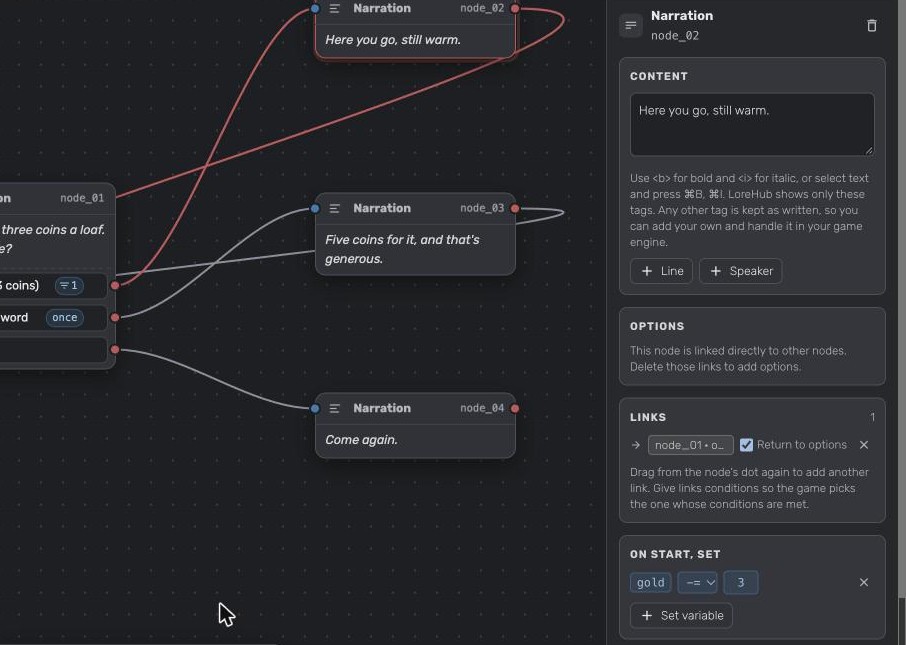
The coins change when the node plays. To give coins, do the same on the node where the player earns them, with +=: here "Five coins for it" gets gold += 5. Choose = to set an exact amount, for example gold = 0 when the player is robbed.
3. Offer the option only when the player can pay
- Select the merchant's node.
- On Buy bread (3 coins), click + condition and pick
gold. - Choose ≥ and enter
3.
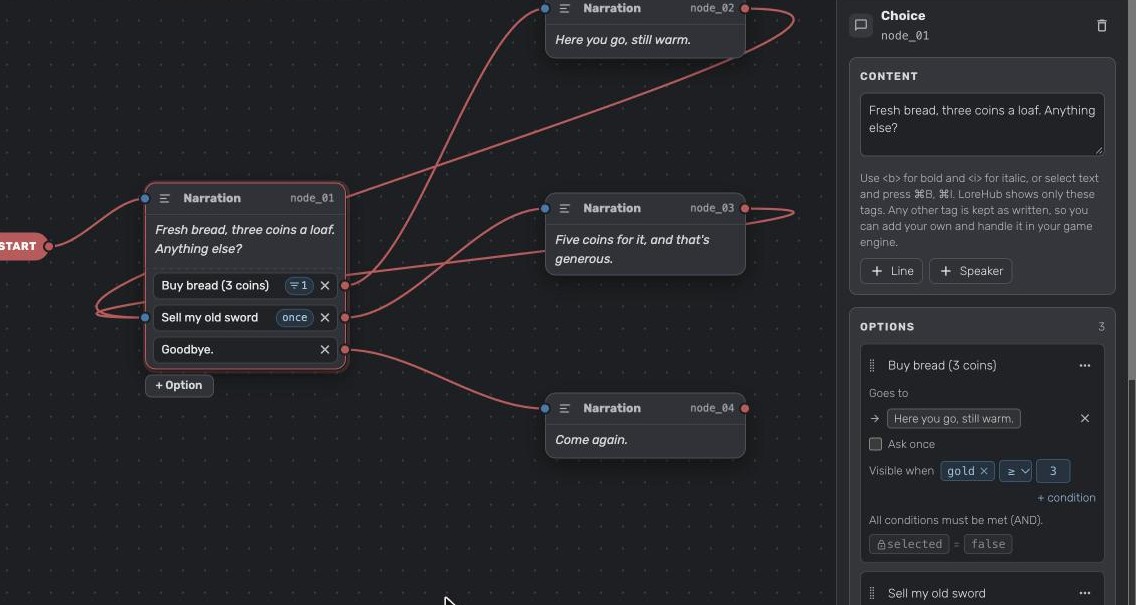
Now the player only sees Buy bread while they have three coins or more. The option shows a filter badge with its number of conditions on the canvas.
To let the player come back to the merchant's options after buying, link the answer back to the merchant's node with Return to options. See Bring the player back to a list of questions.
4. Test it
- Click Show player and play the dialogue.
- Watch
goldin the Variables column while you buy bread: 10, 7, 4, 1. - With 1 coin left, Buy bread is faded with gold ≥ 3 next to it. In your game the player won't see it.
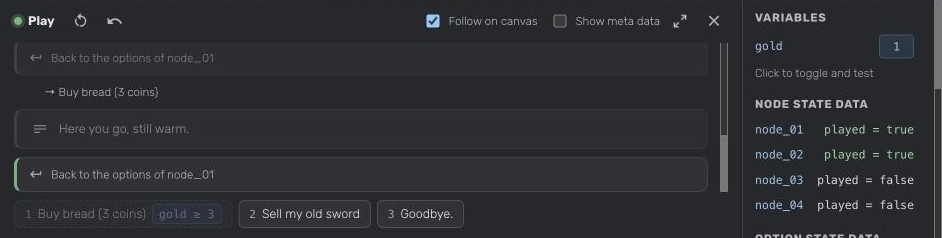
You can change gold in the Variables column to test other amounts without playing up to them. Click Restart to start again with 10 coins.
Variations
Sell only once. Turn on Ask once on Sell my old sword, since the player has only one sword. See Make an option the player can pick only once.
Branch on the amount. Give the links from a node conditions, like gold ≥ 100 to one line and no condition to another. The game follows the first link whose conditions are met.
In your game
gold is exported with the dialogue's variables and its starting value. A node exports its change in setVariableOnStart with operation set to add or subtract, and the option's condition with operator >=. See Variable v1 and SetVariableOnStart.
Did this answer your question?
Still need help?
Can't find what you're looking for? Ask us, we read every question.