
Bring the player back to a list of questions
The case: Sam asks the player if they have questions, and the player can ask them in any order. After each answer, Sam shows the same questions again, until the player says That's all.
Sam: Do you have questions?
  1. Who are you?
  2. Where are we?
  3. What time is it now?
  4. That's all.
Player picks 2.
Sam: Eastbrook, by the old mill.
  1. Who are you?
  2. Where are we?
  3. What time is it now?
  4. That's all.
The short answer: link each answer back to Sam's node and turn on Return to options on that link.
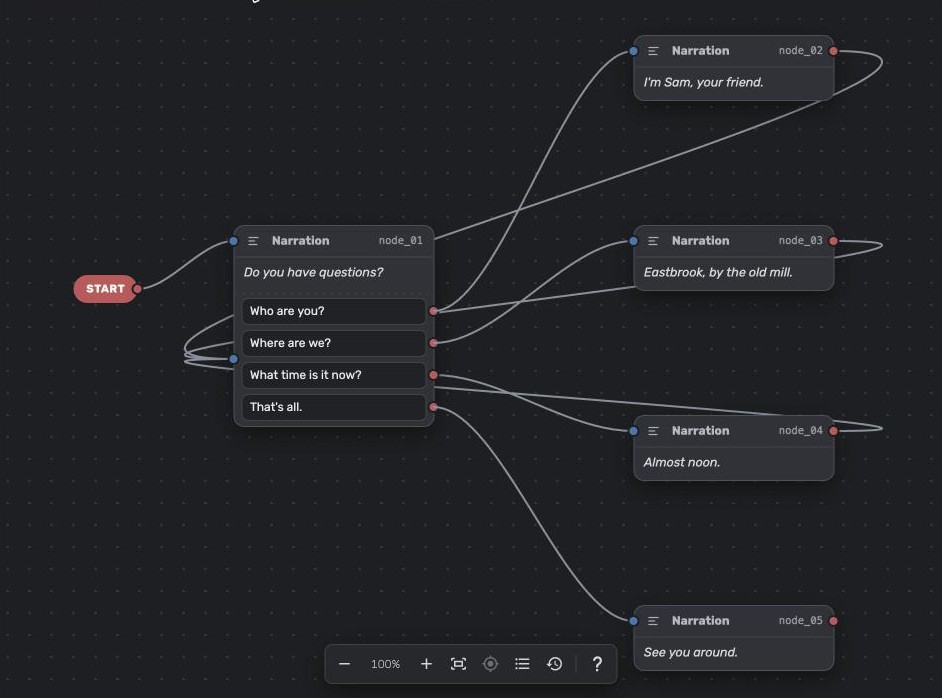
1. Write the questions and the answers
- Open your dialogue in the Dialogue Builder.
- Write Sam's line in a node: "Do you have questions?"
- Add the questions as options: click + Option on the node, or select it and click Add option in the inspector. Add That's all. as the last option.
- Add a node for each answer, and drag from each question's dot to its answer.
- Drag from That's all. to the node where the conversation goes on, or to a goodbye line.
2. Link each answer back to the questions
- Drag from the answer node's dot back to Sam's node.
- Select the answer node. Under Links, turn on Return to options.
- Do the same for every answer.
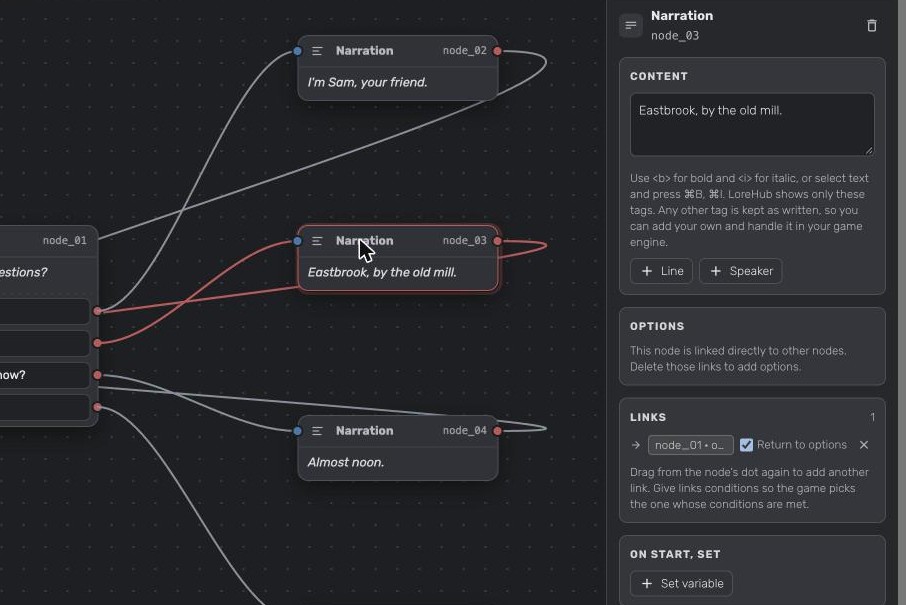
With Return to options, the player skips "Do you have questions?" and goes straight back to the list. Without it, Sam would say the line again before every list.
Return to options shows only when the link goes to a node that has options.
3. Test it
- Click Show player and play the dialogue.
- Pick Where are we? and click Continue after the answer.
- The player shows Back to the options of node_01 and the same four questions again.
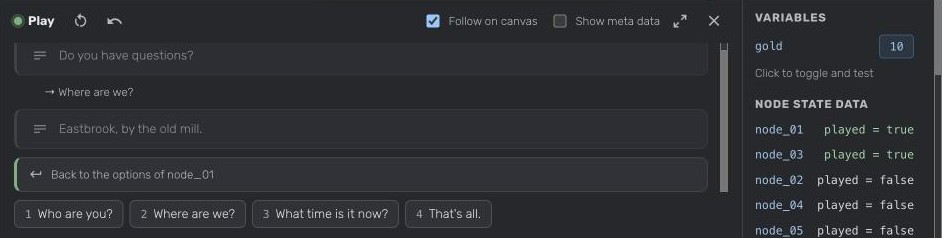
Variations
Hide a question once it's asked. Turn on Ask once on the question. See Make an option the player can pick only once.
Unlock a question after another one. On the new question, click + condition, pick stateData.isOptionSelected and then the question it depends on.
In your game
A link with Return to options is exported with "entry": "options". When your game follows it, show the node's options again without its lines, and check each option's conditions again. The LoreHub Dialogue Player for Godot does this for you. See Link v1.1 for the JSON.
Did this answer your question?
More in Dialogue Builder
Still need help?
Can't find what you're looking for? Ask us, we read every question.