Start your world from 20 premade templates
Documents in LoreHub are no longer just a page of text. A monster can have armor class, hit points and ability scores, a faction can list its members, and every document that follows the Monster template looks the same. To save you building all of that from scratch, there's now a catalogue of 20 premade templates. Add one in a click, then make it yours.
What's new
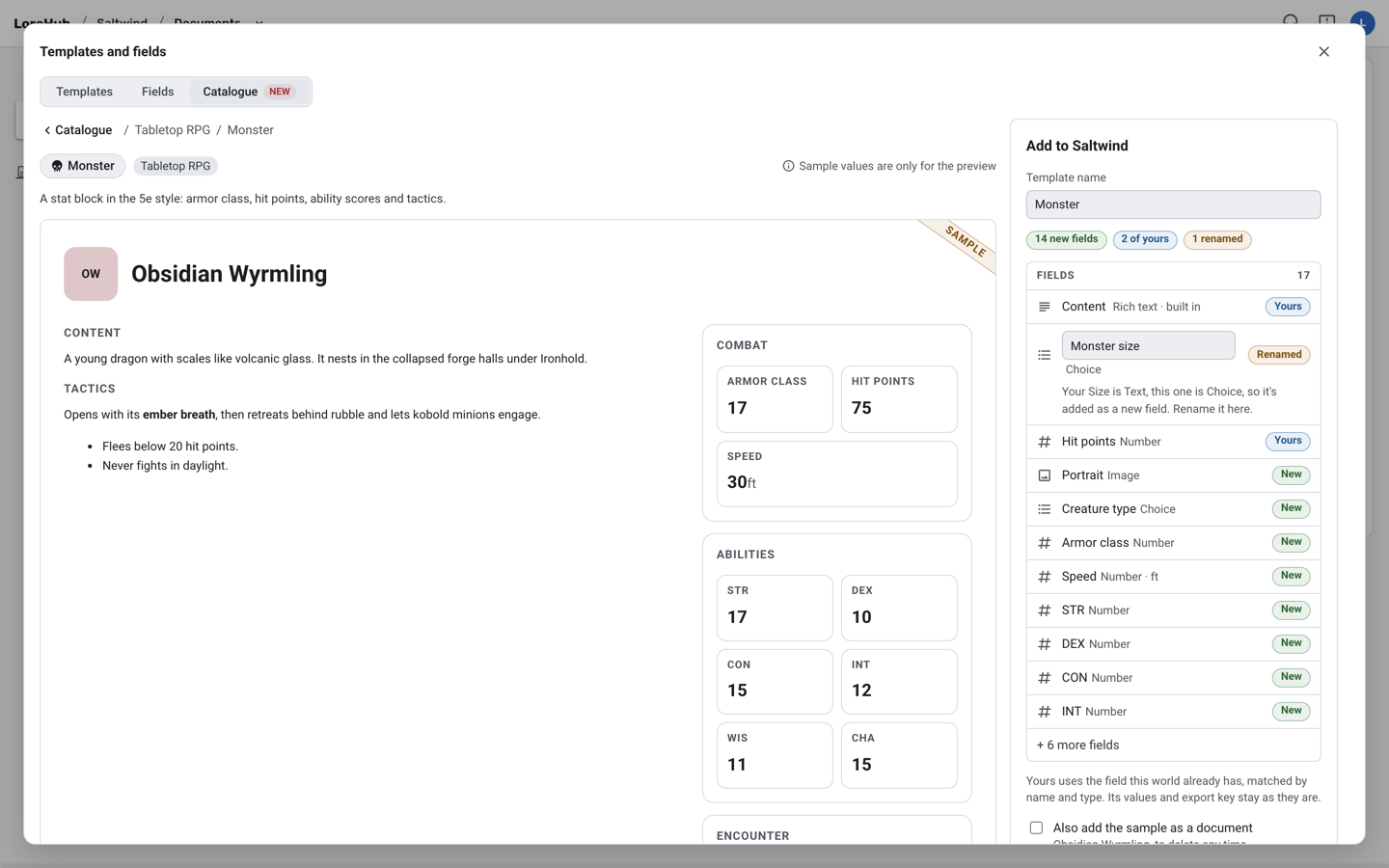
- A template catalogue. Open Templates and fields and pick the Catalogue tab. There are 20 templates in three genres: Tabletop RPG (NPC, Monster, Location, Faction, Quest, Magic item, Spell, Deity), Fiction (Character, Place, Organisation, Object, Culture) and Video game (Character, Enemy, Weapon, Item, Ability, Zone, Quest). Ready for your D&D campaign, your novel or your RPG's item tables.
- Starter packs. The Campaign starter, Novel starter and RPG game data packs add four or five templates at once, and their shared fields, like Portrait or Home, are created only once.
- See it before you add it. Each template opens on a filled sample page, with a list of what adding it does to your world: New fields, fields that are Yours already (same name and type), and fields that get a new name because your world uses that name for another type. You can change those names before you add.
- Custom fields and templates. Any document can have text, numbers, yes/no, choices, images, links to other documents and document lists. A template lays the page out in groups and columns, so every Monster has its Combat and Abilities boxes in the same place.
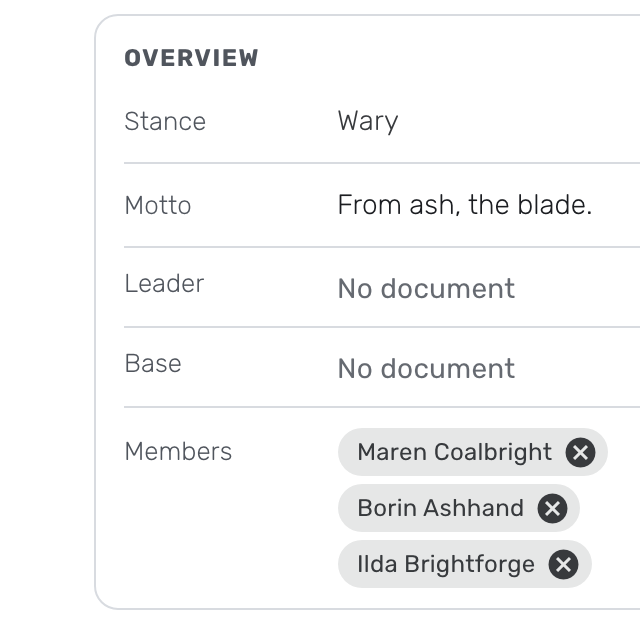
- Document lists. A field like a faction's Members holds several documents, picked from a template, a tag or a list you choose. A faction's Members only offers your NPCs.
- Autosave and history. Fields save a moment after you stop typing. Open ⋮ → History on a document to see every change, compare text and restore an earlier value.
How to use it
- Open any document, click its template chip at the top left and choose Browse catalogue.
- Pick a genre, open a template or a pack and check the field list on the right.
- Tick Also add the sample as a document if you want a filled example, then click Add template.
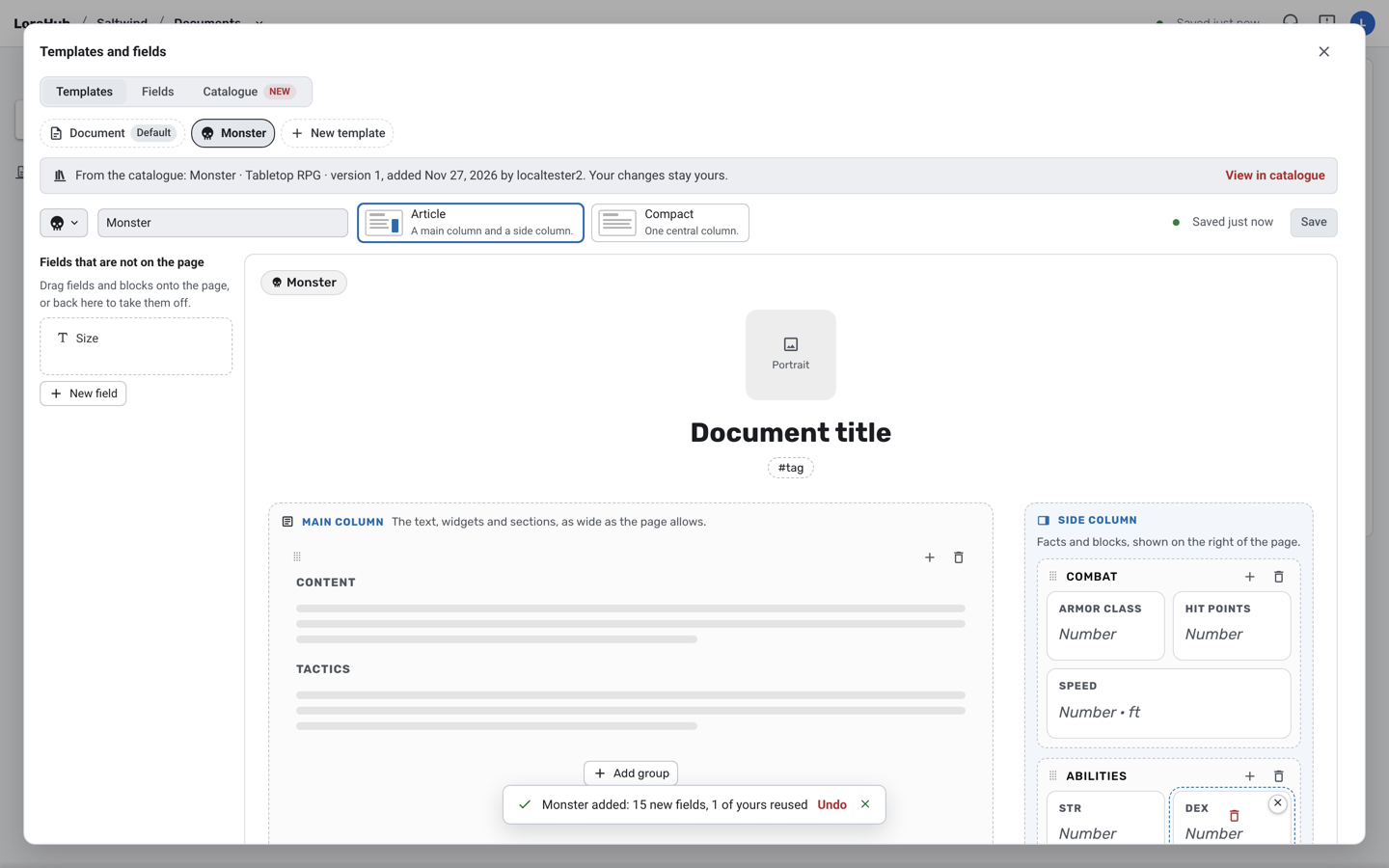
- The new template opens in the layout editor. Rename it, move fields or remove them: it's a copy, so it's yours. Changed your mind? Click Undo in the message at the bottom.
The step-by-step version is in the Help Center: Add a template from the catalogue.
What's next
Every template you add remembers which version of the catalogue it came from. When we improve a catalogue template, we want to offer the new fields to worlds that already use it, without touching anything you changed yourself.
Try it
The catalogue, custom fields and document history are available on every plan. Open a world in LoreHub and add your first template. If a genre or a template is missing, tell us on Discord or Reddit.