
All news
Release
Search your whole world, from one box
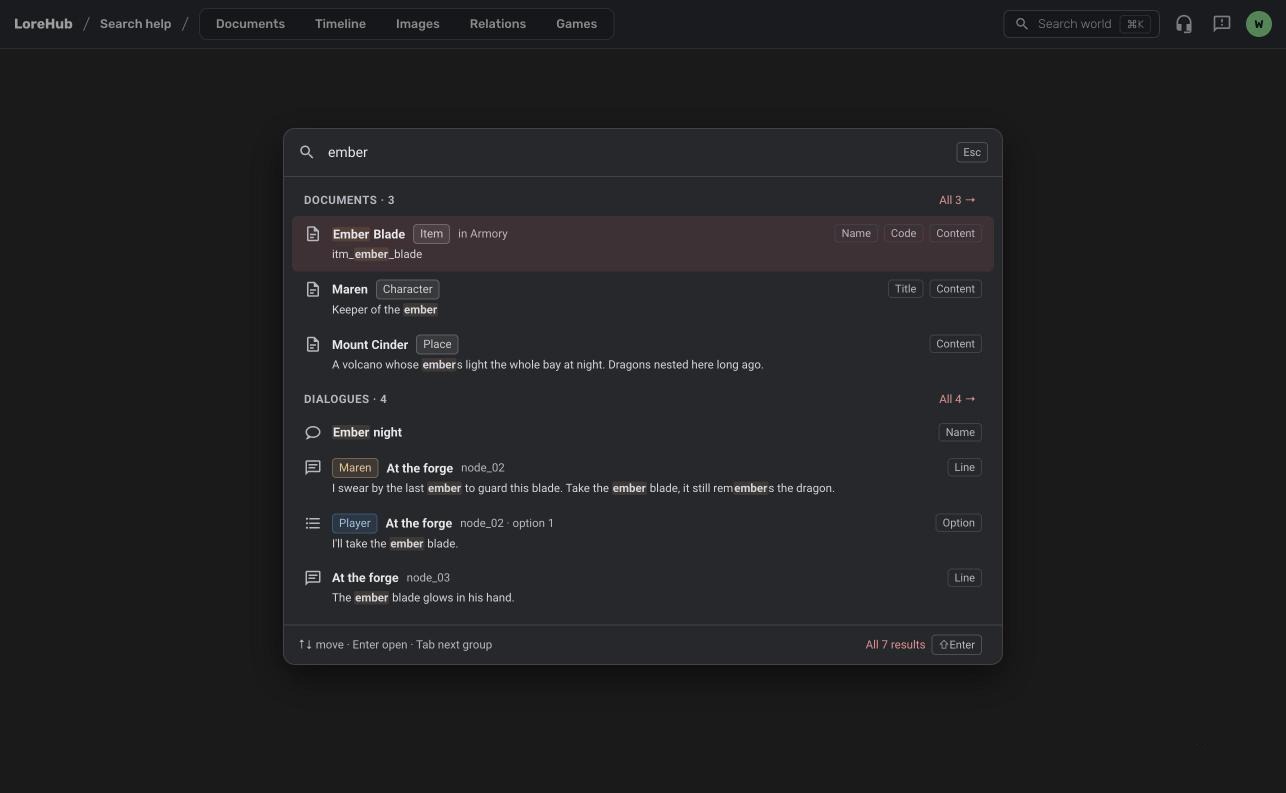
Until now, the only way to find something in LoreHub was to remember which document it was in, or to filter the document list by name. That stops working once a world has a few hundred documents and a few thousand lines of dialogue. So there's now one search box for all of it: document names, Content, fields and tags, and every dialogue name, line and player option.
What's new
- Search from anywhere in a world. Click Search world in the top bar, or press ⌘K on a Mac or Ctrl K on Windows. It works on every page of a world, the Dialogue Builder too. Results show up as you type, five documents and five dialogue results at a time.
- Documents and dialogues together. Documents are searched by name, Content, tags, and text, rich text, number and choice fields. Dialogues are searched by name, lines and player options.
- Names first. A document whose name matches comes before one that only mentions your words in a field, then Content, then tags. A dialogue's name comes before its lines.
- Paste an ID, land on it. IDs are found exactly as written, so itm_ember_blade or npc.maren.01 from a bug report takes you straight to the right document or line.
- Forgiving matching. Every word has to be there, in any order. Case and accents don't matter, parts of words count, and quotes keep a phrase together.
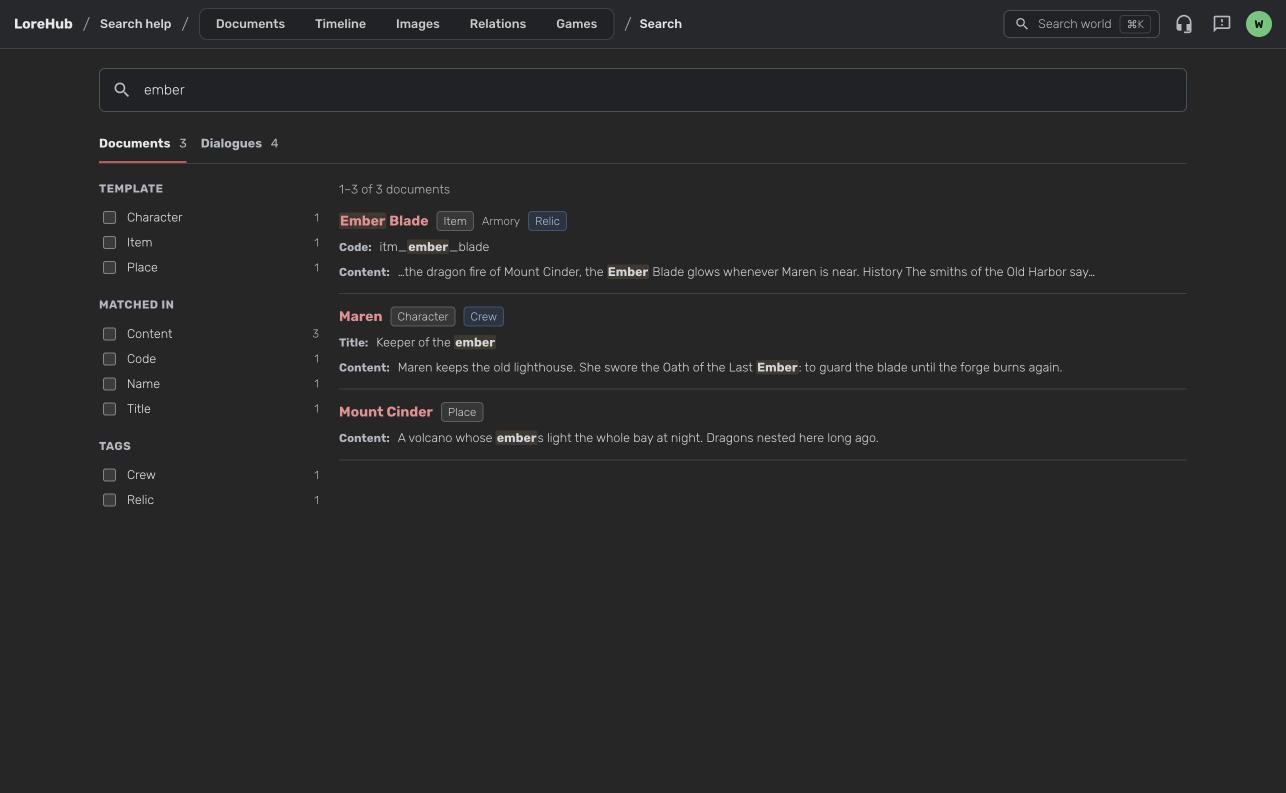
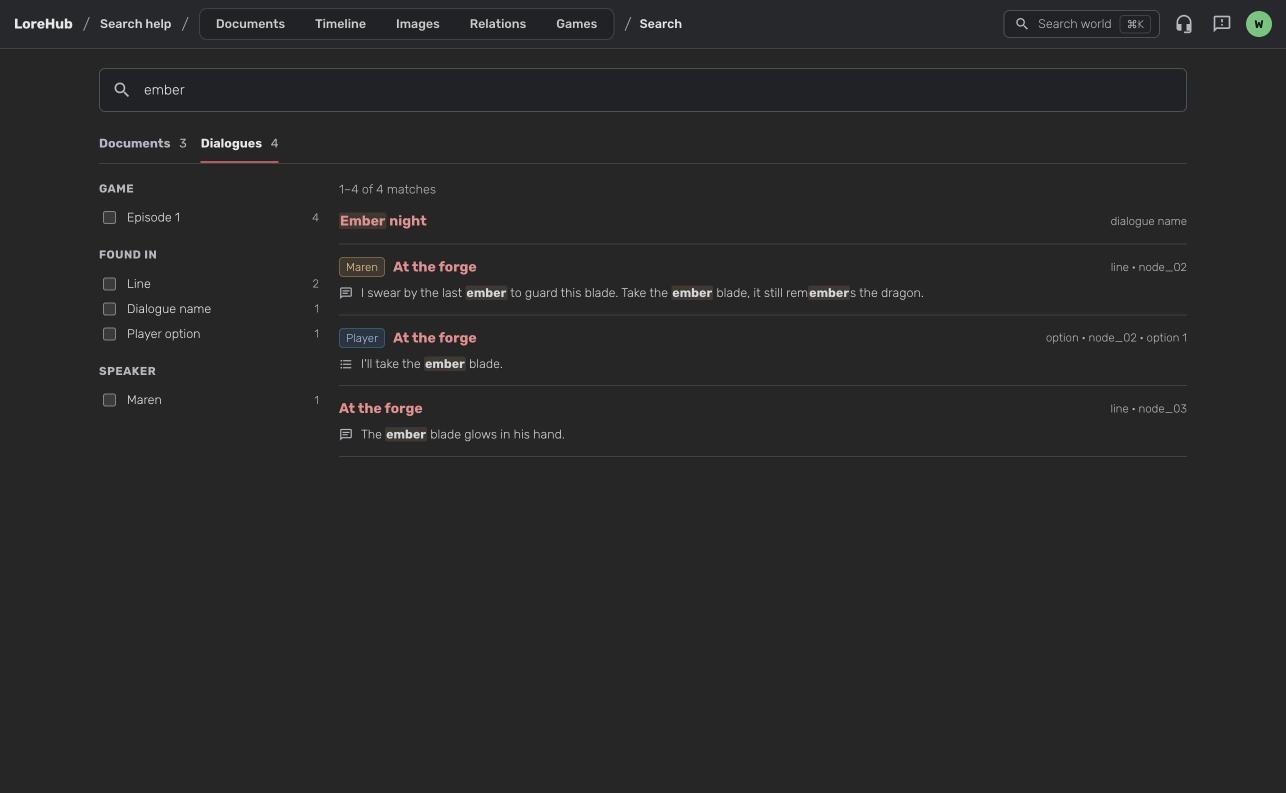
- A full Search page. Press ⇧Enter to see every result, with Documents and Dialogues tabs and filters by template, tag, game, speaker and where the words were found. Each result shows the passages with your words marked.
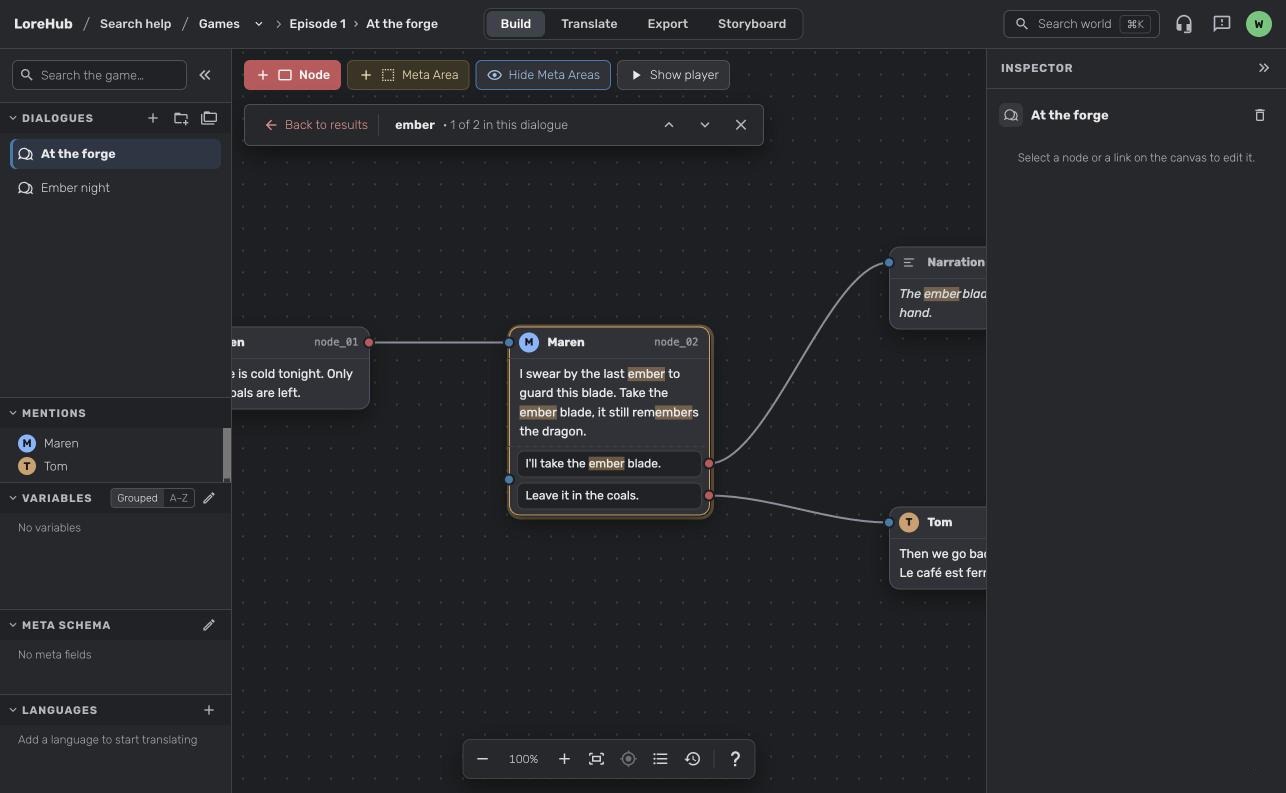
- Find bar on the result. A document opens with your words marked and a bar that steps through each match. A line opens the Dialogue Builder centred on its node, outlined, with nothing selected, so you can't change anything by accident.
How to use it
- Open a world and press ⌘K (Ctrl K on Windows), or click Search world in the top bar.
- Type at least two characters. Use ↑ and ↓ to move and Enter to open a result.
- Press ⇧Enter to open the Search page, pick the Documents or Dialogues tab and tick filters on the left.
- In a result, press Enter for the next match and Esc to close the find bar.
The full guide is in the Help Center: Find a word, line or item ID anywhere in your world.
Good to know
- Yes/no fields, images, document links and document lists aren't searched yet, and neither are relations, timeline events or Meta Area notes.
- Right after the release, LoreHub reads the text of older documents in the background. Until that's done, the Search page tells you, and those documents are found by their name and fields only.
- Agents can search too: the
search_worldtool of the LoreHub MCP server searches the same text.
Try it
Search is available on every plan. Open a world in LoreHub and press ⌘K. If search misses something you expected it to find, tell us on Discord or Reddit.