
See which nodes change a variable, even zoomed out
Conditions have always been visible on the canvas, written on the links they gate. The changes that set those conditions up were not. A node that sets has_sword = true or takes 50 gold looked like any other node, and finding it meant clicking through the branch one node at a time. A LoreHub user asked for a way to see these nodes at a glance, especially with the whole graph zoomed out. Starting today, the Dialogue Builder shows them.
What's new
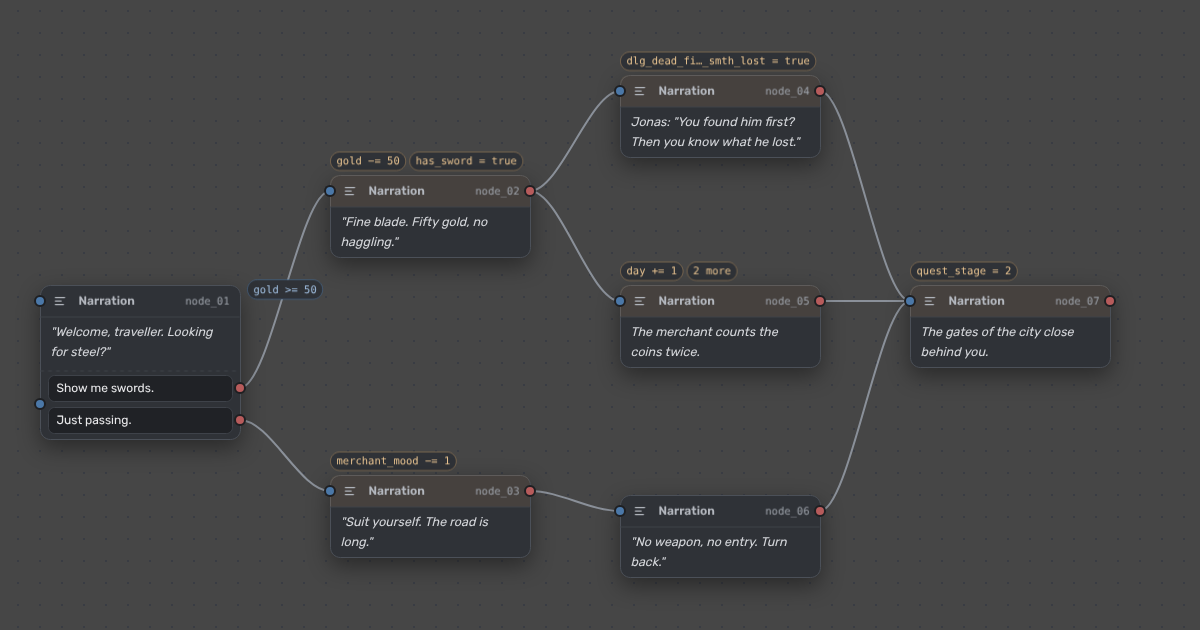
- An amber header. Every node that changes a variable in On start set gets an amber-tinted header. It's a big shape, so you can spot it at any zoom.
- The change, written above the node. A tab on the node's top-left corner shows what changes, with the same wording as the inspector:
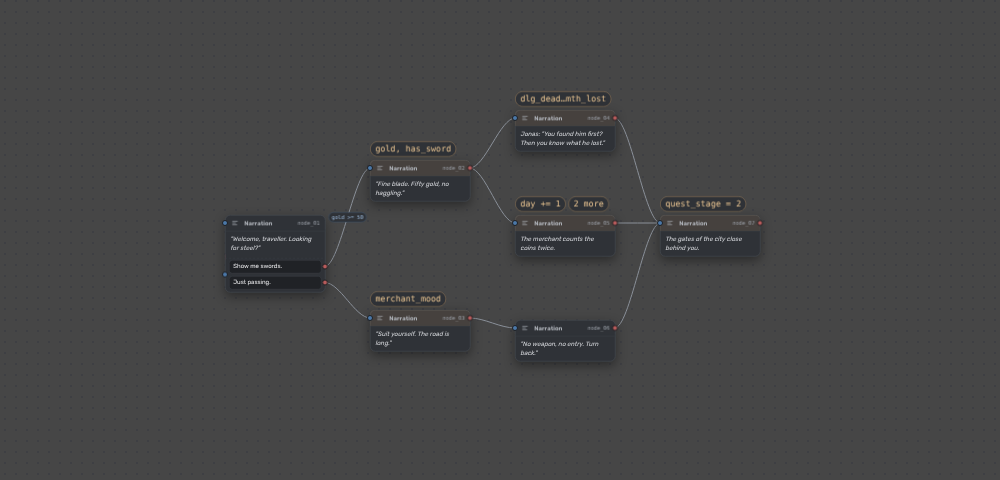
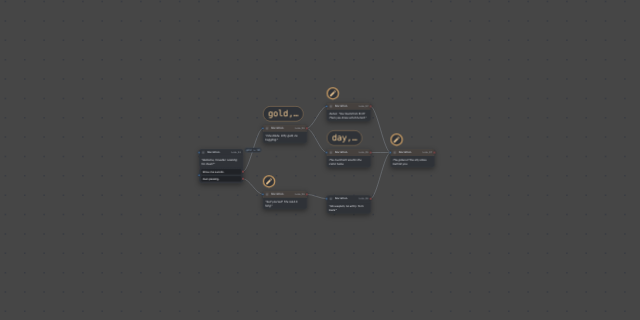
gold −= 50,has_sword = true,day += 1. It shows up to two changes, sorted by name, followed by a count of the rest, like 2 more. - Readable when zoomed out. Below 80% zoom, the tab no longer shrinks with the canvas. As the node gets smaller on screen, the tab shows less: first it drops the values and keeps the variable names, then it becomes a pencil marker with the number of changes.
- Long names keep both ends. Narrative variables are often long and share a prefix, like
dlg_dead_first_found_jonas_says_smth_lost. The tab cuts a long name in the middle,dlg_dead_fi…_smth_lost = true, so you still see how it starts and ends. The inspector always shows the full name.
At 50% zoom, the tabs show the variable names:
Zoomed all the way out, the nodes with changes still stand out:
Try it
Open a dialogue in LoreHub, select a node and add a variable under On start set in the inspector. The tab appears above the node right away. Then zoom out and read the whole dialogue's consequences without opening a single node. If something feels off, tell us on Discord or Reddit.