
Translate your dialogue inside LoreHub
Until now, a LoreHub dialogue could hold only one language. If your game shipped in several, the translations lived in a spreadsheet somewhere else, and you couldn't tell which ones still matched the line they were written for.
Today the first part of localisation arrives in the Dialogue Builder. Your stories have languages, and you can translate every line and option right next to the dialogue it belongs to. As promised on the pricing page, it works on every plan, with no cap on the number of languages.
Give your story its languages
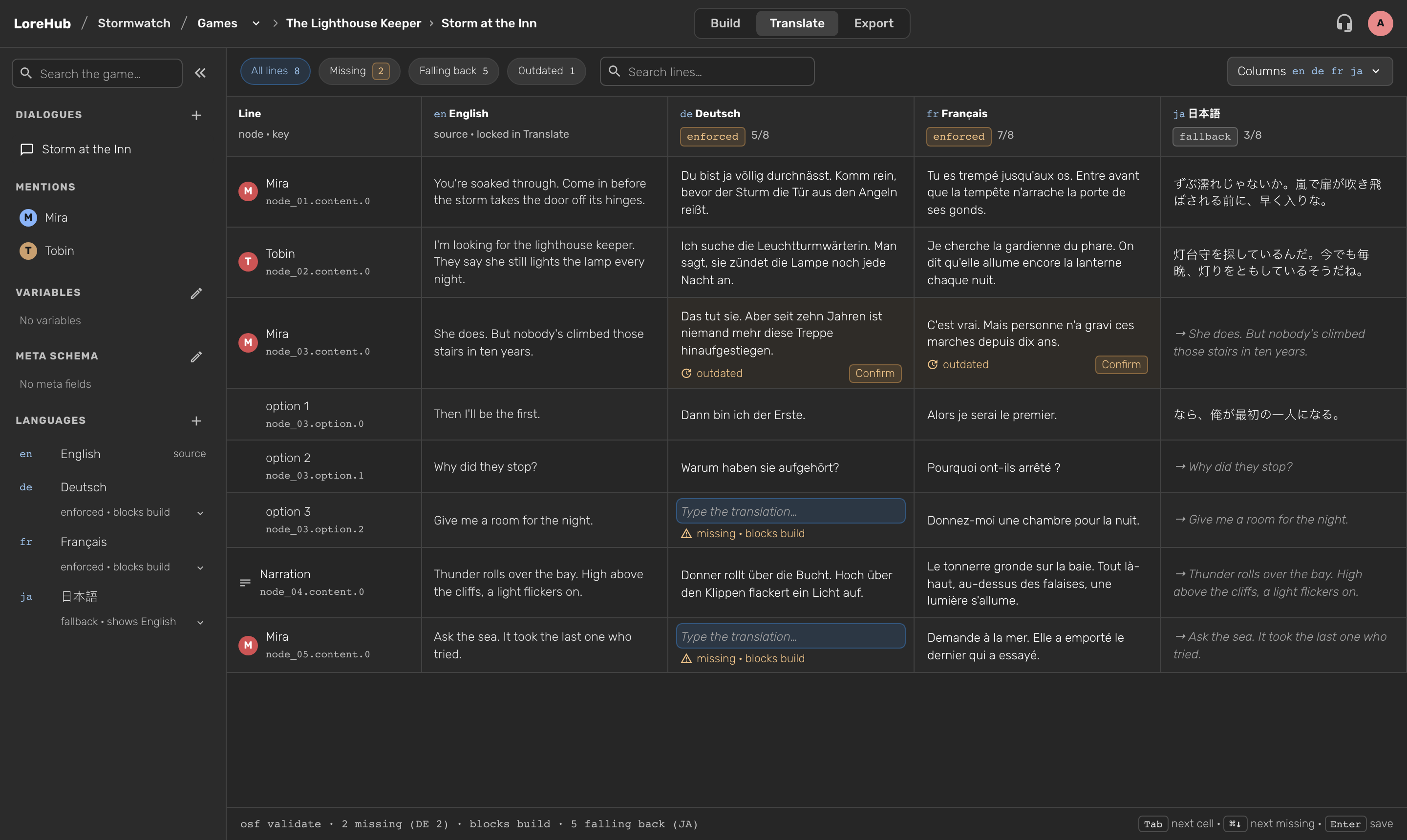
Open the Languages section in the Explorer and press +. The first time, you also pick the source language your dialogue is written in, English by default. Then add as many target languages as you need.
For each language, you decide what a missing line means:
- Enforced. A missing line is a problem you fix before release. The language shows "enforced · blocks build".
- Fallback. A missing line simply shows the source text. Handy for a language you're still working on, or one you only need for playtesting.
You can switch a language between the two, or remove it, from its menu in the Explorer.
Translate in the Translate tab
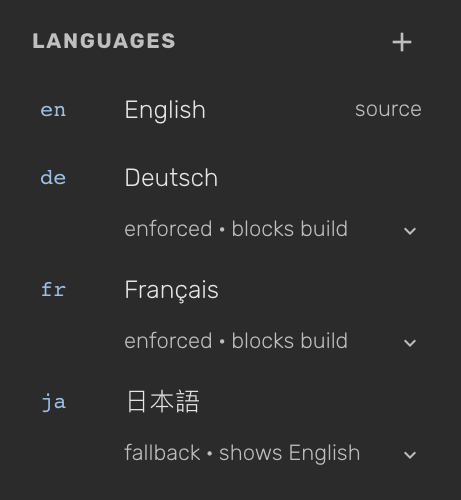
The dialogue workspace now has Build | Translate | Export. The Translate tab shows one row per line and option, with the speaker, a key such as node_03.option.1 and the source text, and one column per language.
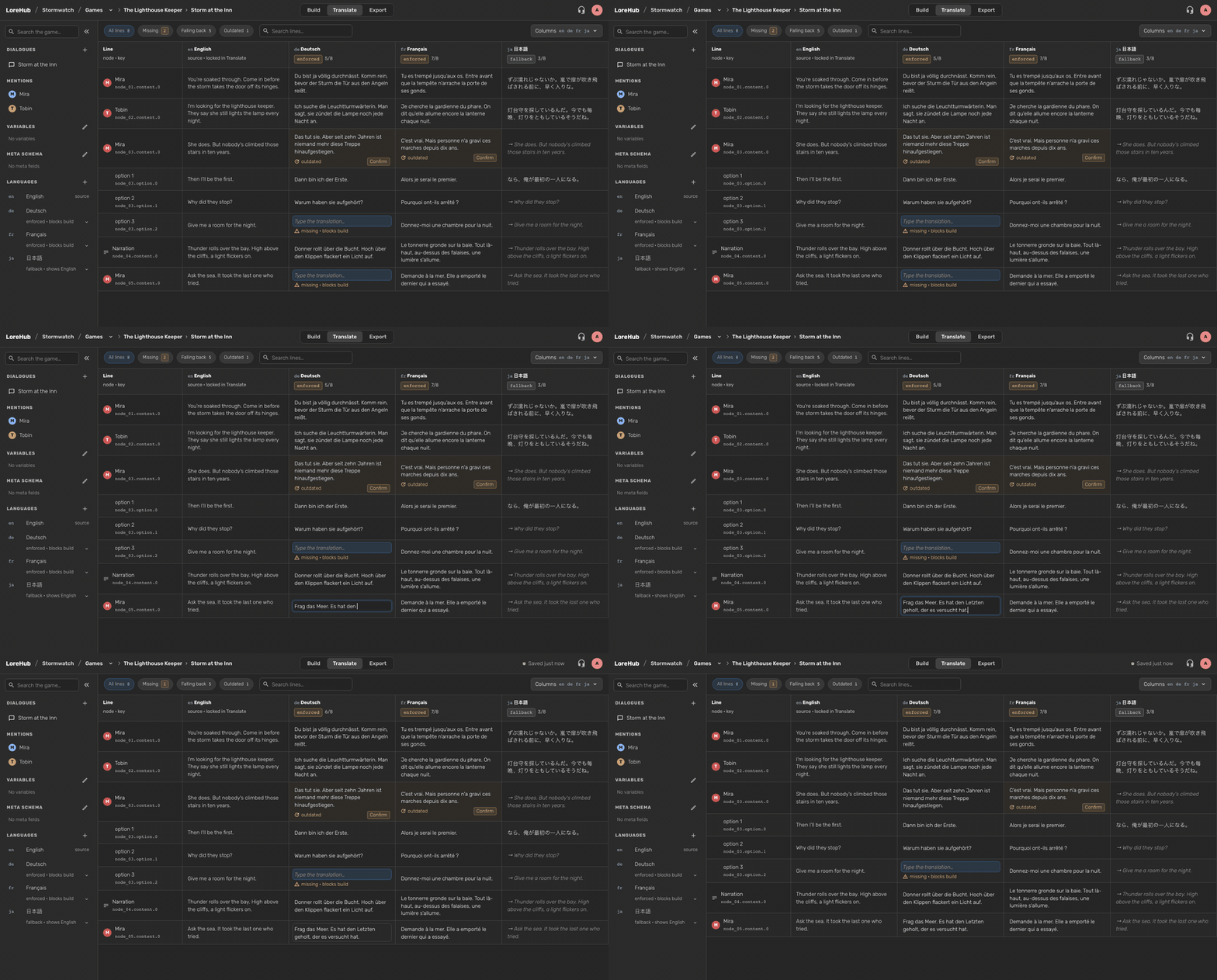
- Type and press Enter. Your translation saves as soon as you press Enter or leave the cell. ⌘↓ takes you to the next missing line.
- See where each language stands. Every column shows its progress, like 7/8. The Missing, Falling back and Outdated filters show how many lines are in each state, and the search covers source text, keys and translations.
- Know what blocks a release. The footer sums it up, for example "2 missing (DE 2) · blocks build · 5 falling back (JA)".
The canvas and the inspector always show the source text, so the Build tab stays exactly as you know it.
Never ship a translation of old text
When you or a teammate change a source line in the Build tab, its translations are marked outdated. If the change was only a typo or punctuation fix, press Confirm to keep the translation without retyping it. Otherwise, edit it.
Translations belong to the line itself, not to its position, so reordering lines or options never moves a translation to the wrong place.
See who changed what
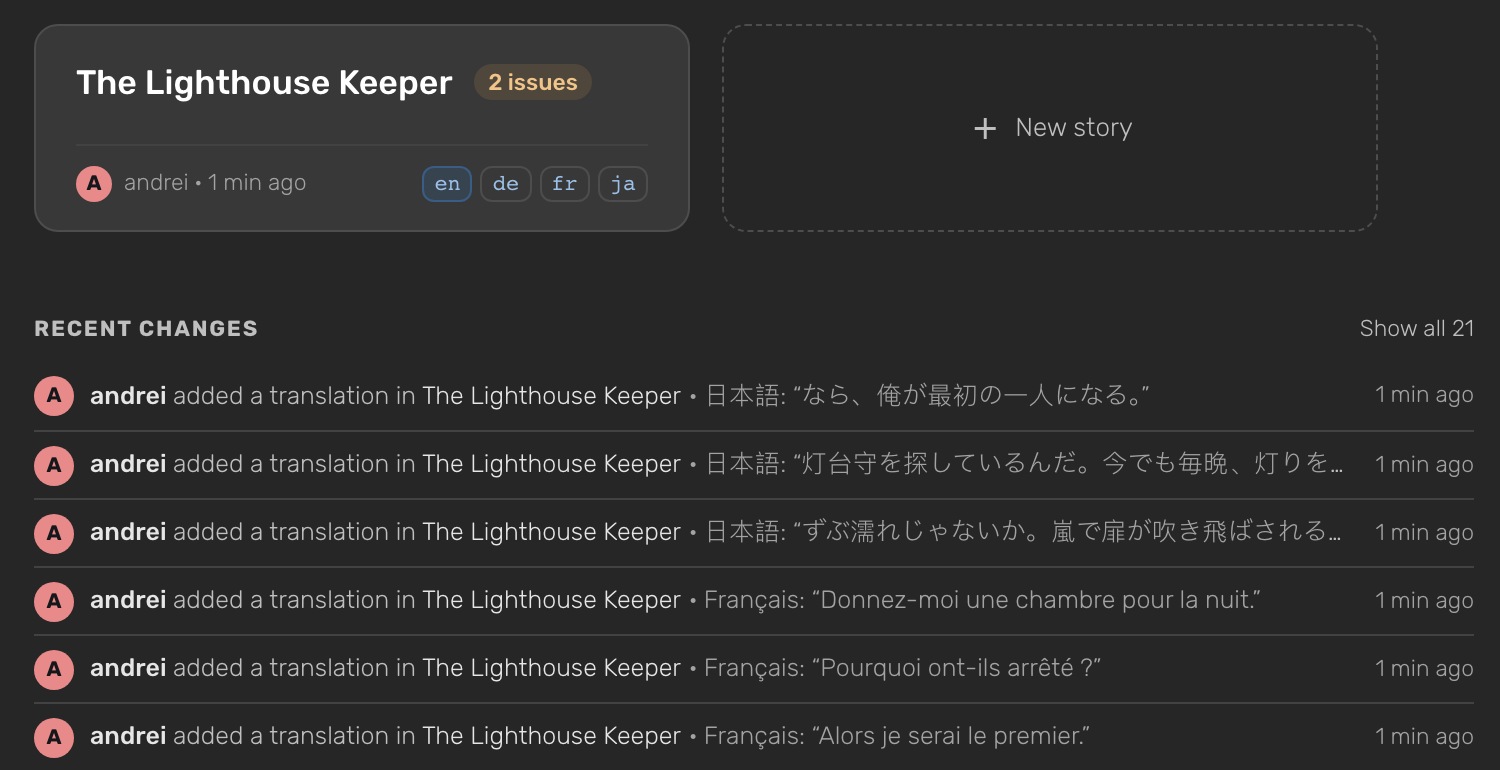
Each story card on the Stories page shows its languages, with the source language first. Below the cards, Recent changes lists every language you add, remove or switch, and every translation you write or confirm, with the name of the person who did it.
As an owner or a writer, you can manage languages and translate. As a viewer, you see the same table read-only.
Roadmap
This is the foundation. Here's what we're building on top of it, roughly in this order.
- Jump from a line to its node. Press ⌘⏎ on a row in the Translate tab to open that line's node on the canvas and read the scene around it.
- Live updates. When a teammate edits a source line while you translate, your table updates and marks the line outdated without reopening the tab.
- Translations in the export. The JSON export will include every target language, keyed by the same stable line ids, so your engine can load the right text for each locale. Fallback languages fall back to the source on purpose. If your world has no languages, your export stays exactly as it is today.
- Checks before you ship. You'll see missing lines in an enforced language as errors and missing lines in a fallback language as notes, in the Problems panel and in
osf validate. - History and revert for every line. Open the history of a single row to see who changed it, when, and from what to what. Revert any change, yours or a teammate's. A revert is saved as a new change, so nothing is ever lost.
- Spreadsheets for translators. Export the lines you need translated as XLSX, CSV or JSON, send the file to an agency or a freelancer, and import it back. Every translation lands on the right line, and outdated lines stay flagged.
- AI first drafts. Draft the missing lines of a language with machine translation, for playtesting or to brief a translator. Nothing is saved until you review and accept it.
Further out, we'd like to support right-to-left languages such as Arabic and Hebrew. They stay out of the language picker until translated text can be laid out properly.
Tell us what you need
If you're localising a game, we'd love to hear how you work today and which of these you need first. Tell us on Discord or Reddit.
Looking for the LoreHub interface in your own language instead? That's a separate feature: read about the eight interface languages.