
Your AI writes the dialogue. Your team stays in charge.
Connect Claude, Cursor or any MCP client to your LoreHub world. Give each agent one job with a service account: draft and check branching dialogue, or read the Storyboard and build assets in Blender. Then send it to your game engine.
LoreHub doesn't lock you into a built-in generator. Use Claude, Cursor or any MCP client, with the model and the rules your studio already approved.
Every agent is a service account with one role. A storyboard bot can't rewrite dialogue, and no key reaches billing, members or sharing.
Everything an agent writes shows up live on the canvas and in history under the agent's name, so the team reviews it like a colleague's draft.
From a scene brief to a playable branching dialogue
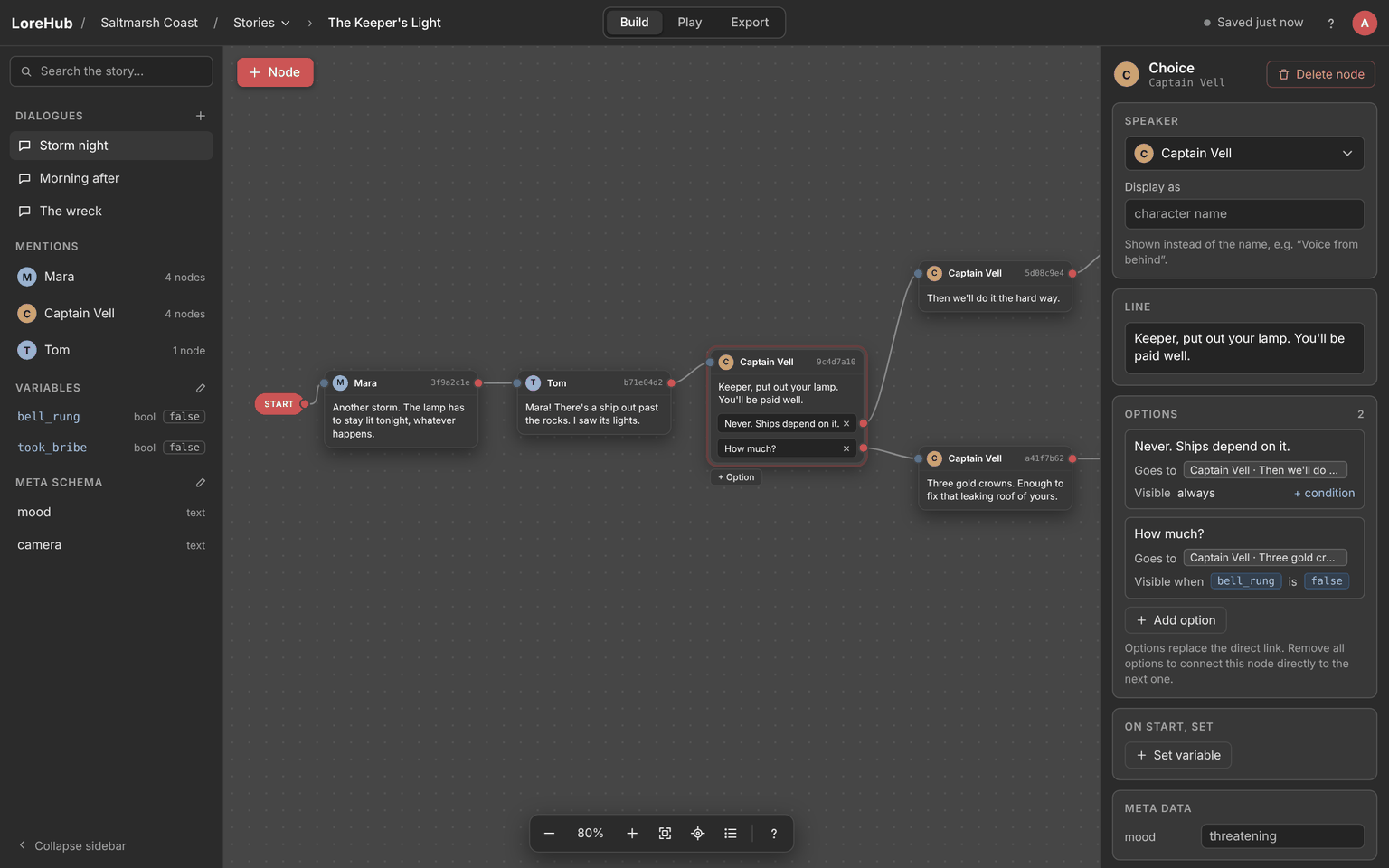
Your AI agent writes into the same dialogue your team opens on the canvas, checks it like a narrative designer would, and hands it to your engine.
- 1Create a service account
On the world's API & AI page, add a service account for the agent, such as "Claude: dialogue drafts". It gets its own API key, shown once, with an expiry you choose.
uvx lorehub-mcp world add - 2Give it the Writer role
Writer lets the agent create and edit content and nothing else: no members, billing, sharing or other keys. Change the role or revoke the key at any time, without reconfiguring the tool.
- 3Create the dialogue
The agent reads your characters, places and timeline first, fields included (a character's age, faction or home), so lines stay in character and in canon. Then it builds nodes, options, links and variables you can see appear on the canvas.
get_world_overviewsearch_worldget_documentcreate_dialogueadd_nodeadd_optionlink_nodescreate_variable - 4Validate
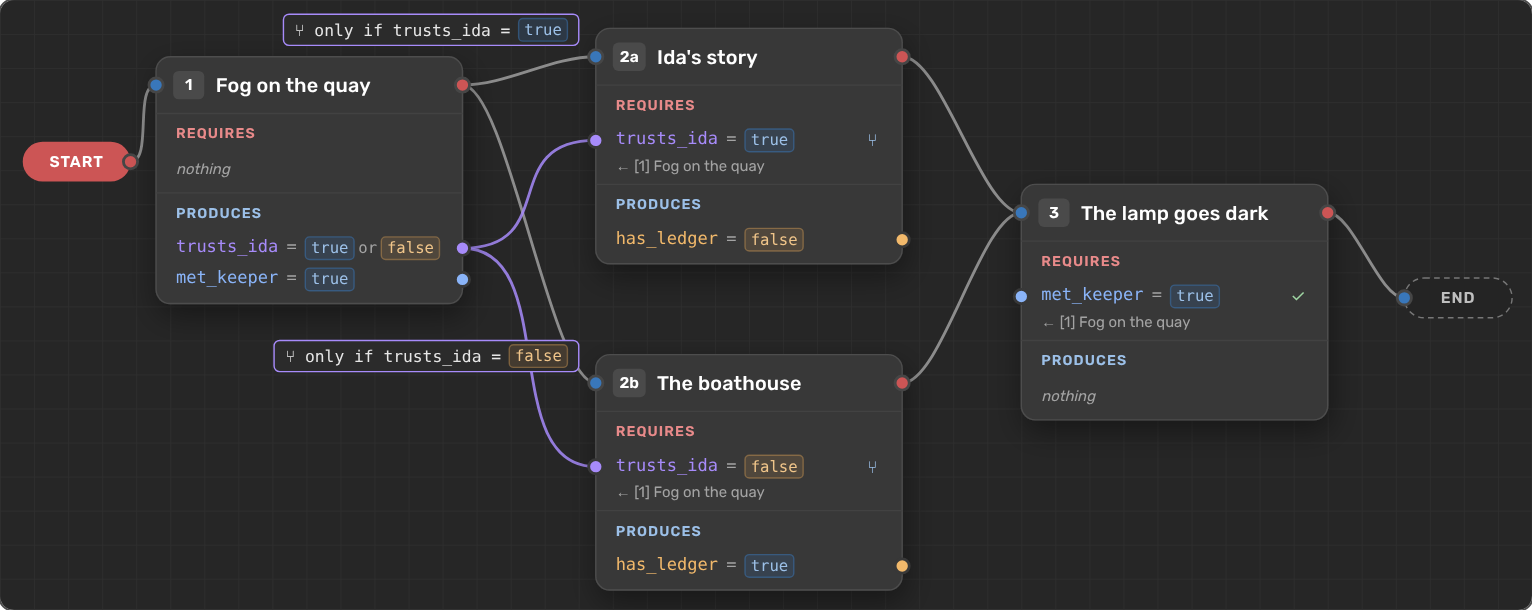
The agent checks its own work: nodes no one can reach, options that lead nowhere, where the dialogue ends, variables set but never checked or checked but never set, and the story's route map. The agent fixes what it finds, and every change it made is in history under its own name for your review.
check_dialogueget_story_mapcontinuity_check - 5Sync with your game engine
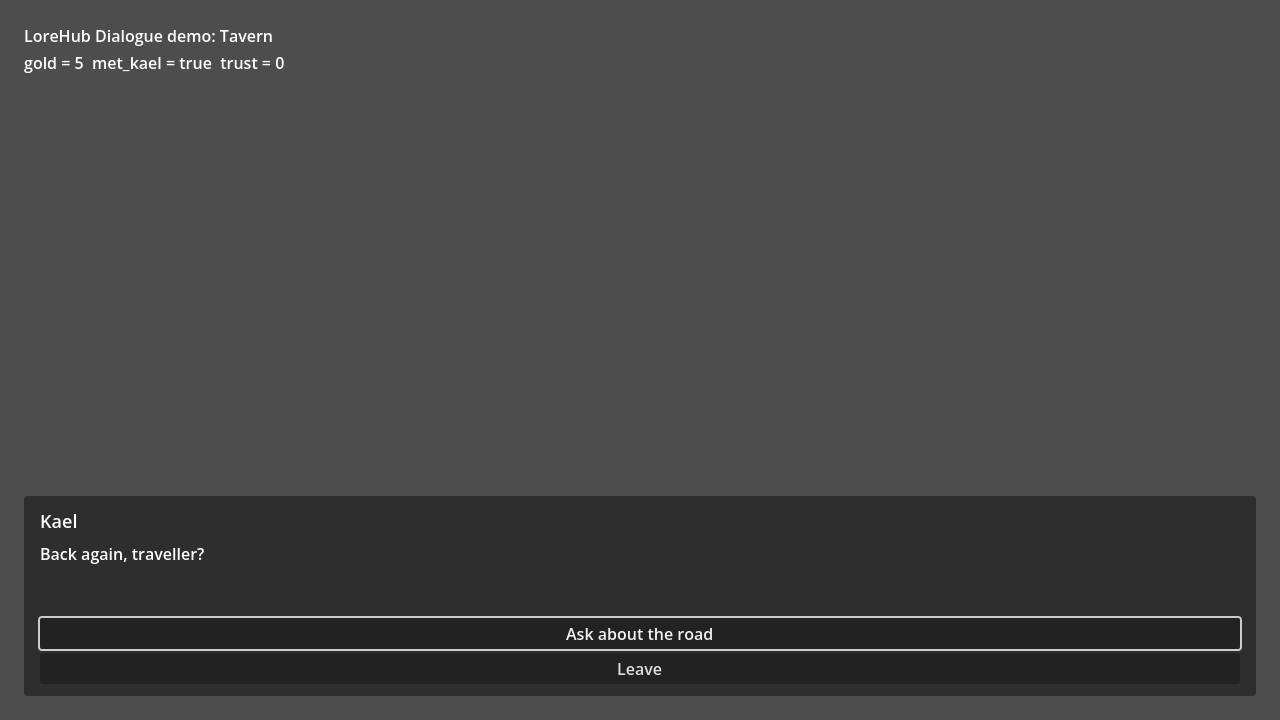
Export the dialogue as versioned JSON, YAML or OSF plain text. Play it in Godot with the free LoreHub addon, or in Unity with the loader from our tutorial.
Story Sync, which sends each game's dialogues to your GitHub repository as a pull request, is rolling out through Integrations in World settings.
get_exportengine_import_guide
From the script to assets in Blender
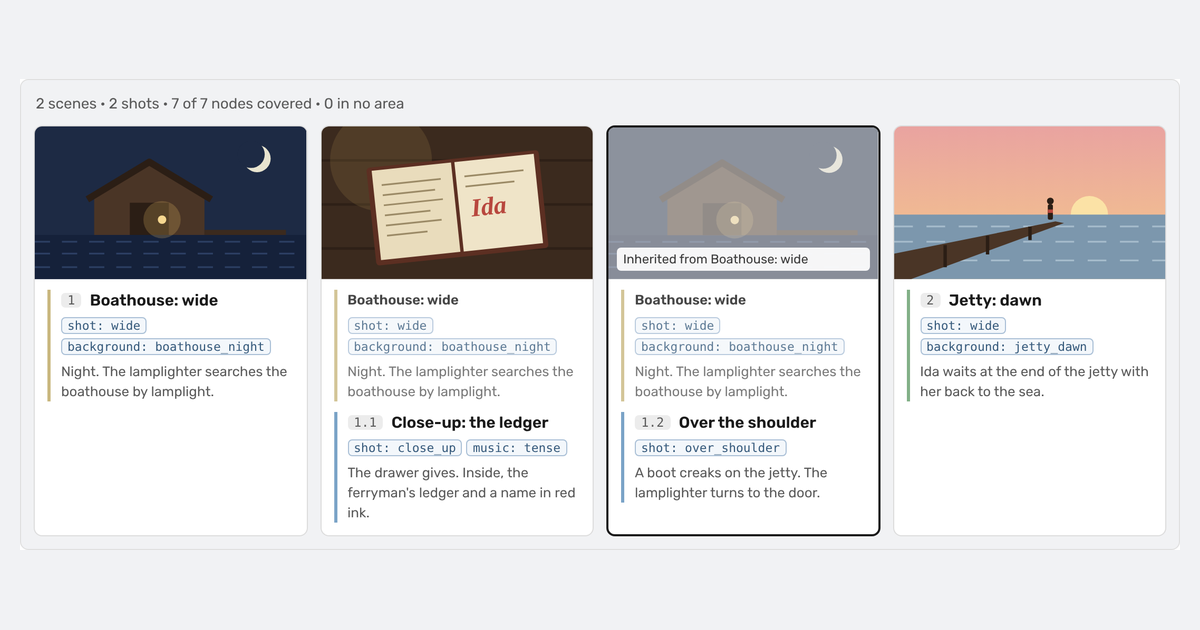
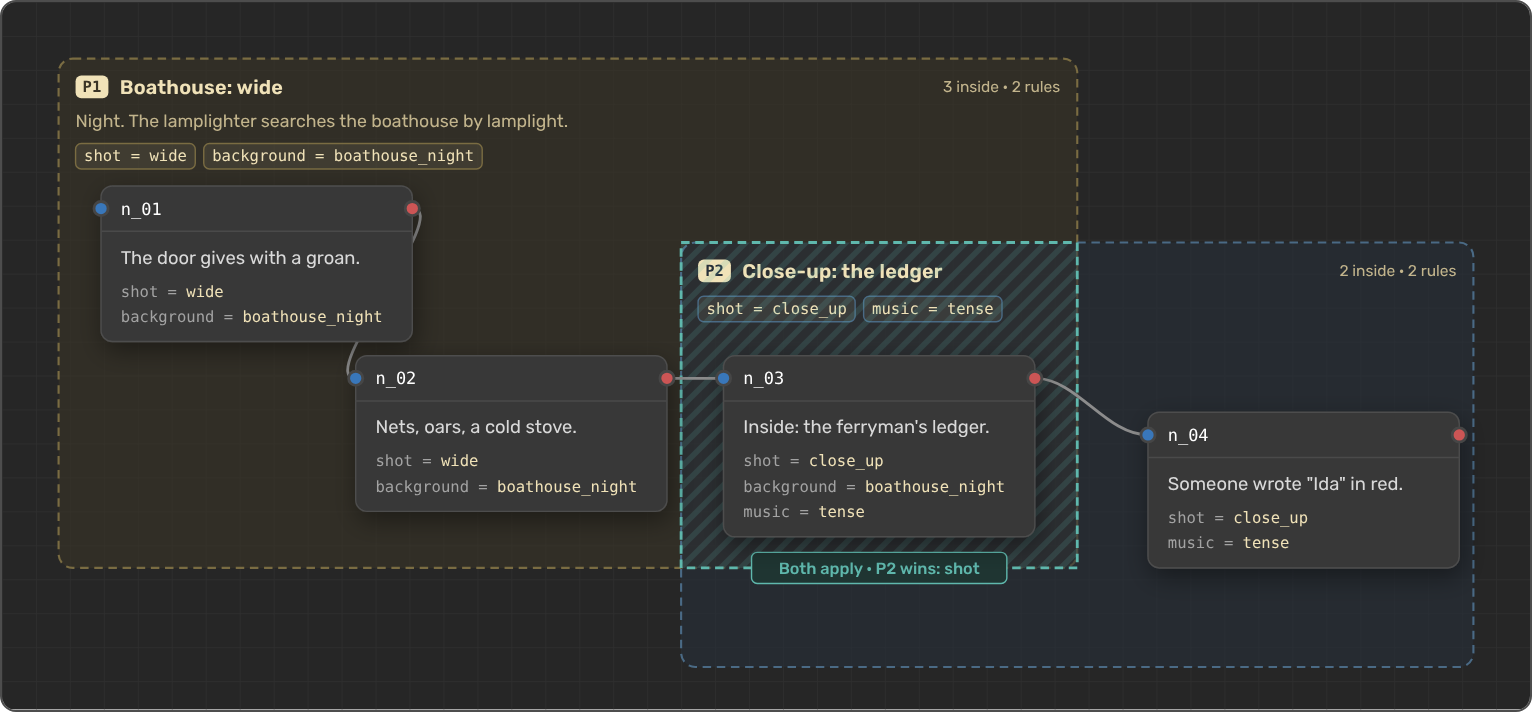
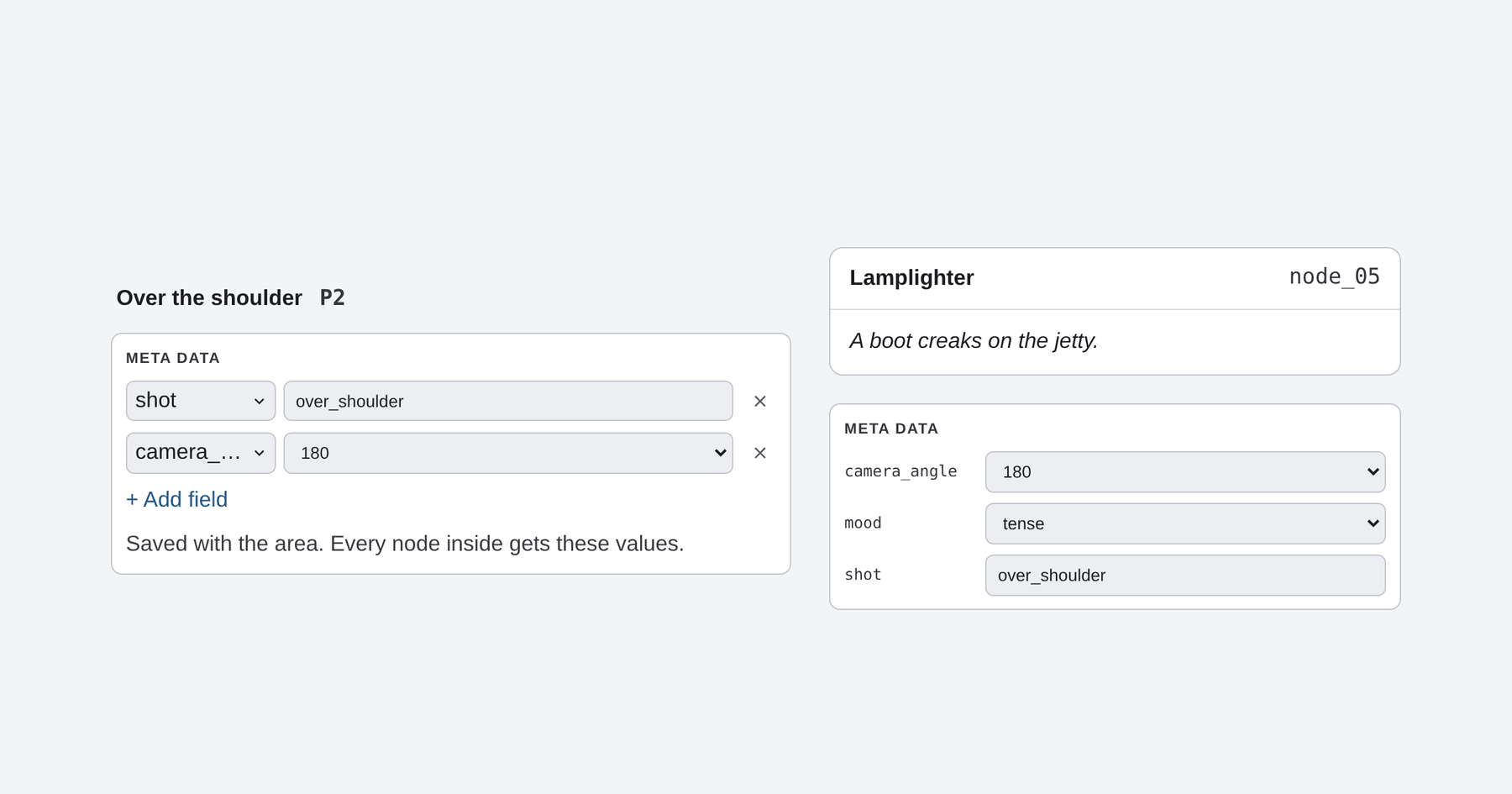
Directors already mark scenes and shots on the canvas as Meta Areas. An agent reads that board and builds the assets for each shot in Blender, without being able to touch a single line of dialogue.
- 1Create a service account
Add a second service account for the visual agent, such as "Claude: Blender". Each agent gets its own key, so you can see and revoke them one by one.
- 2Give it the Storyboard contributor role
Storyboard contributor reads the world and sets the Storyboard: its gallery folder, which Meta Areas are cards, and their images. It can't change dialogue, Meta Areas or lore.
- 3MCP reads the story and Meta Areas
The agent gets the dialogue's scenes and shots in board order, with each shot's rules (shot = close_up, background = boathouse_night), notes and the lines inside it, plus ready-made reference briefs and shot lists.
get_storyboardget_dialogue_metaget_dialoguereference_briefshot_list - 4Blender MCP generates the assets
In the same chat, a Blender MCP server blocks out sets, props and camera angles from that brief and renders previews. Your artists take it from there; the agent can then set the chosen reference images on the Storyboard cards.
set_storyboard_folderset_storyboard_card - 5Sync with your game engine
Assets go into your engine project like any other. The dialogue export carries each node's meta data, so your game knows which shot, background and music belong to which line.
get_export
Questions about AI and MCP
Plan your studio's AI pipeline with us
A short call: which agents your team needs, what each may touch, and how the story gets from LoreHub into your engine. Or start on the free plan and connect your first agent today.